Customer story · Aparthotel group
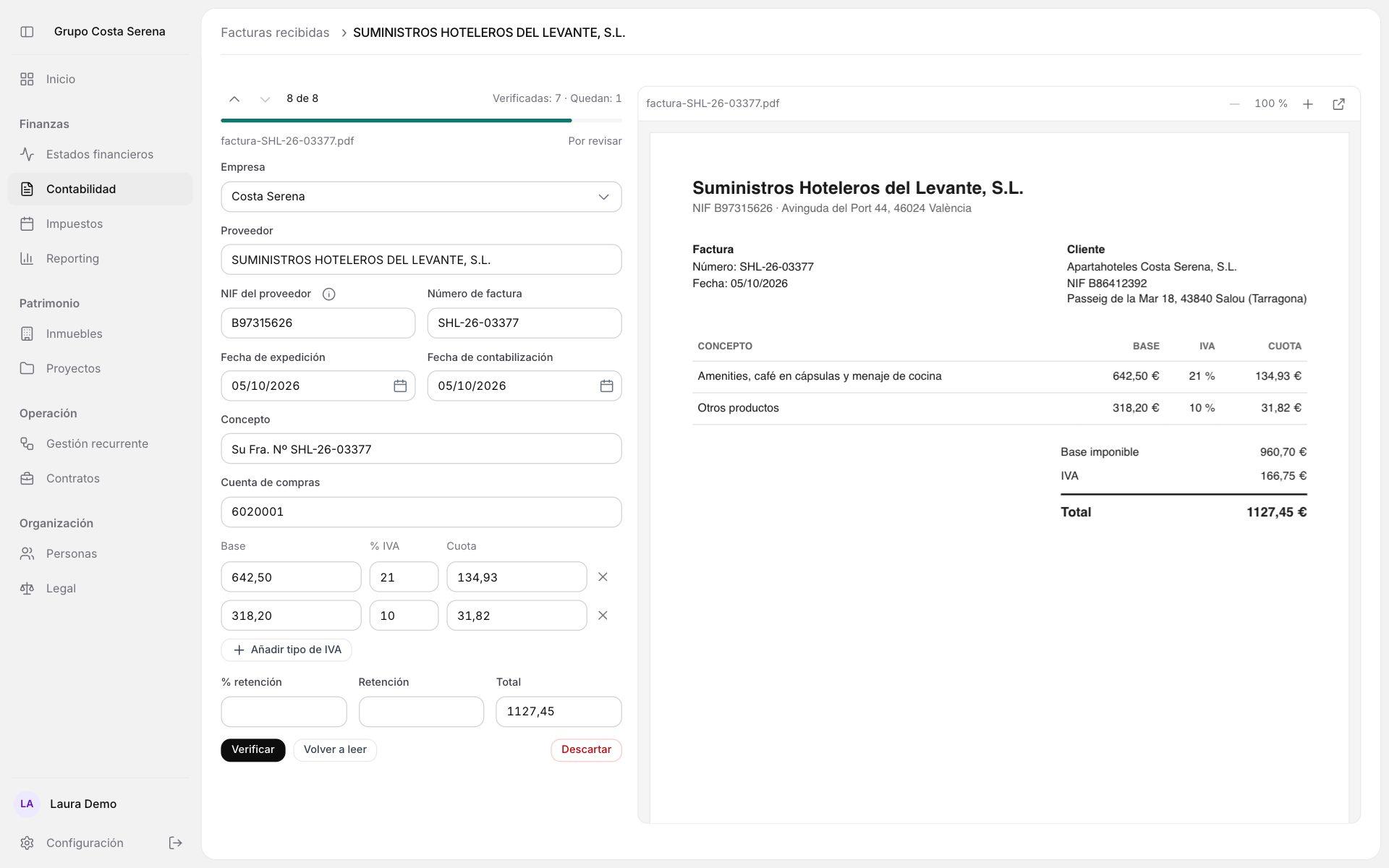
Inside the group's ERP, supplier invoices are uploaded as PDFs or photos. AI reads them, someone checks them next to the original, and out comes the Excel ready to import into Wolters Kluwer's a3con.
· 2 min read
- Industry
- Aparthotels and property management
- Location
- Spain
- Scope
- Internal group ERPAI invoice readingReview next to the originalExcel and accounting link for a3conSupplier accounts it remembersWater and power use per supply point
- Benefits
- Company, supplier, tax ID, number, dates, bases, VAT, withholding and total arrive already filled in
- Each invoice goes to the right company through the recipient's tax ID, with no manual picking
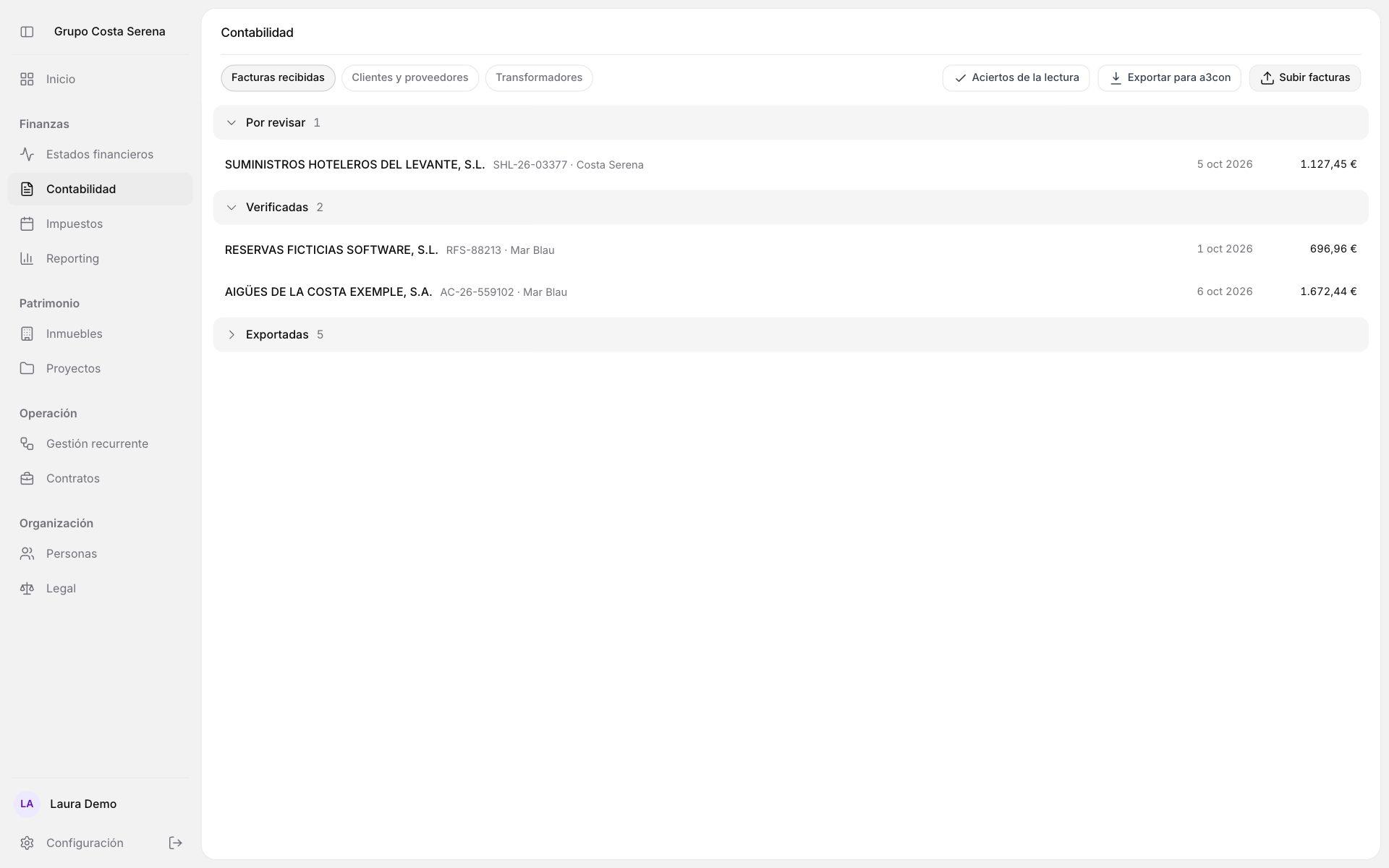
- Nothing reaches accounting until a person has verified it
- Each supplier's account is remembered per company and applied to later invoices
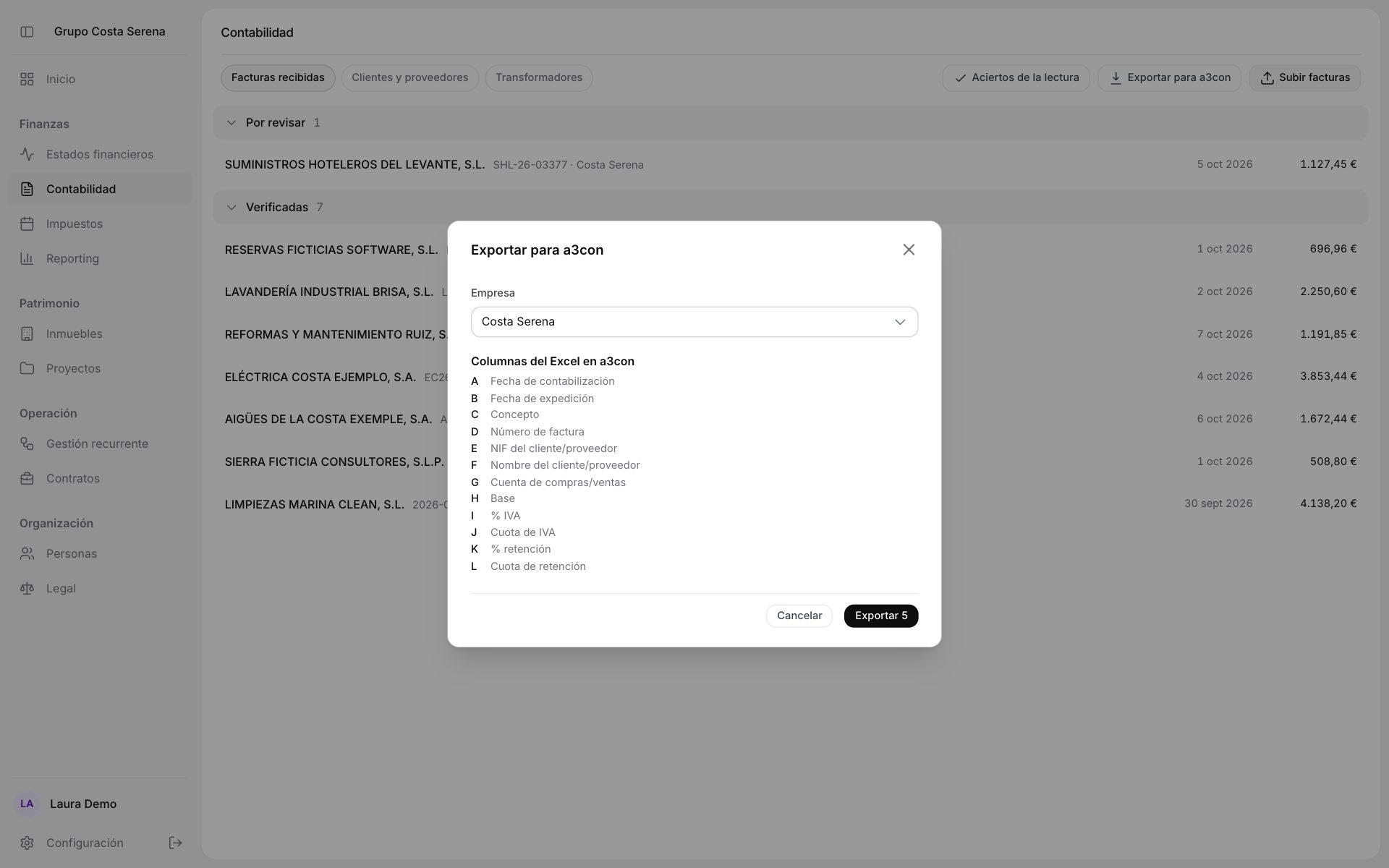
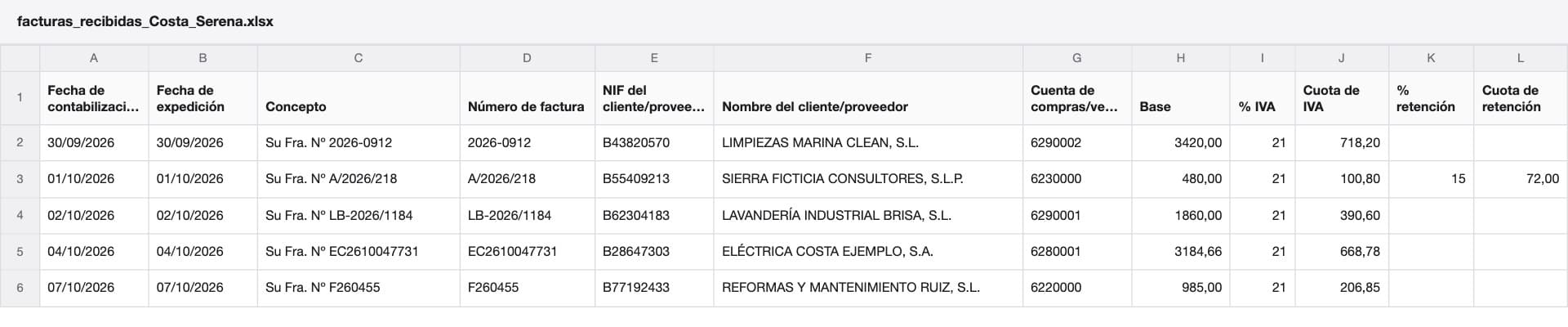
a3con Excel columns filled in automatically, from date to withholding
Row per VAT rate on the invoice, as the importer requires
Output formats: importer Excel and accounting link
Unverified invoices that can reach a3con
Context
The group runs aparthotels through several companies and manages them in its own ERP: accounting, tax, contracts, properties and people. The official books stay in Wolters Kluwer's a3con.
Between the two sat a repetitive job: every laundry, cleaning, power, water or maintenance invoice has to end up in a3con, under the right company and account. The screenshots use a sample group, suppliers and invoices.
How it works, step by step
- Upload
- PDFs or photos are dropped into the app, many at a time.
- Read
- AI extracts issuer, recipient, number, dates, bases per VAT rate, withholding and total. On power and water bills it also picks up the supply reference, the consumption and the period.
- Assign
- The recipient's tax ID says which company it belongs to. The supplier's account is remembered from earlier invoices, or proposed from the reading if there is none yet.
- Review
- Each invoice appears next to the original. What a3con requires blocks verification; VAT or total mismatches and possible duplicates raise a warning.
- Export
- One button produces a file per company with the verified invoices: the a3con importer Excel or the accounting link, depending on how each company works. Invoices move to exported, and reopening one lets you fix it and export it again.
The hard parts
Reading well isn't enough: the result has to pass a3con's checks. Before generating the accounting link, the app sets aside what a3con would reject, with the reason, such as a tax ID with a wrong check digit, a zero base, a mismatch or a duplicate. Then it checks the final file. Only what was included moves to exported.
The app learns, not the model. Habits come from the latest verified invoices from the same supplier, so correcting the history corrects what it learned. What's printed on the invoice always wins, and an unusual VAT rate only raises a warning.
An invoice is a document from a third party, so its content is treated as data and never as instructions for the AI.
Result
The accounting work shifts from typing to reviewing. Water and power bills also build a table of consumption and price per supply point and month, which would otherwise have to be put together separately.
Next step
Is your team typing into the accounting software what the invoice already says? Let's talk about automating it.